


Six months after we moved into our first home, our dishwasher stopped draining. We pulled it out, found the model number on a sticker inside the door, and called the manufacturer. The appliance was still under warranty. The repair was free. We know that because we had written the warranty expiry date down somewhere we could actually find it.
Most homeowners are not that lucky, not because they are disorganized people, but because nobody tells you at closing that keeping track of this stuff is now your job. Your landlord used to handle it. Now you are the landlord.
This post is about building a simple system for tracking your appliances, their warranties, every repair you have had done, and the contractors who did the work. It takes about an hour to set up and saves you real money the first time something breaks.
This post contains affiliate links. If you purchase through these links we may earn a small commission at no extra cost to you. We only recommend products we genuinely believe in.
Why This System Matters More Than You Think
Here is the situation most homeowners end up in. Something breaks. They have no idea how old the appliance is, whether it is still under warranty, or who fixed it last time. They call a random contractor, pay full price for a repair that might have been covered, and have no record of what was done in case the same thing happens again six months later.
A proper tracking system solves all three of those problems. It tells you at a glance whether something is still under manufacturer warranty or covered by an extended warranty you paid for. It gives you the repair history so a new contractor can see what has already been done. And it keeps the model and serial numbers in one place so you can order the right parts or file a claim without crawling behind your refrigerator with a flashlight.
There is also a financial angle worth knowing. When you eventually sell your home, a documented repair and maintenance history is a genuine selling point. It tells buyers the house has been cared for and the systems are known quantities. It is the kind of thing that builds trust in a transaction.
From us: When we built our current home from the ground up, we tracked every appliance from the day it was installed. The first time our HVAC needed a service call, we had the installation date, the contractor who put it in, the model number, and the filter size written down before the technician arrived. It took about 30 seconds to pull up. That is the feeling this system gives you.
What You Actually Need to Track
Before you build the system, it helps to know what goes in it. There are three categories:
Your Appliances and Home Systems
Every major appliance and home system should have a record. This includes:
- Refrigerator
- Dishwasher
- Washing machine and dryer
- Oven and range
- Microwave
- HVAC system and furnace
- Water heater
- Sump pump if you have one
- Garage door opener
- Water softener if applicable
- Generator if you have one
- Security system
For each appliance, you want to capture the brand, model number, serial number, purchase date, where you bought it, how much it cost, and when the warranty expires. The model and serial number are the two most important. They are what a repair technician, parts supplier, or warranty department will ask for first.
Quick tip: Model and serial numbers are usually on a sticker inside the door of refrigerators and dishwashers, on the back panel of washing machines and dryers, on the side or bottom of ovens, and on a metal plate near the base or side panel of HVAC units and water heaters. Take photos of every sticker with your phone while you are doing the initial setup. It saves a lot of crawling around later.
Warranty Information
Most major appliances come with a manufacturer warranty, typically one year on parts and labor. Some have longer coverage on specific components. Refrigerator compressors, for example, are often covered for five to ten years even when the general warranty is only one year.
If you purchased extended warranties on any appliances, those need to be tracked separately with the plan number, the coverage provider, and the expiry date. The same applies to any home warranty plan you carry on the house itself.
The most important thing to track is the expiry date. A warranty you do not know you have is a warranty you will not use. Set a reminder 90 days before each major warranty expires so you have time to either extend coverage or get any lingering issues looked at before the clock runs out.
Repair and Maintenance History
Every time something is serviced, repaired, or replaced, it should get a record. At minimum you want to capture:
- The date the work was done
- What was repaired or serviced
- Who did the work, including their company name and phone number
- What it cost
- Whether a warranty claim was filed and the claim number if so
- Any notes about what was found or what parts were replaced
This history becomes valuable in a few ways. If the same thing breaks again, you can see what was done before and whether the fix held. If you ever have a dispute with a contractor, you have documentation. And when a new service technician comes out, showing them the repair history often leads to faster diagnosis and better work.
Three Ways to Set Up the System
There is no single right way to do this. The right system is the one you will actually use. Here are three approaches from lowest to highest effort, each with real advantages.
Option 1: A Physical Binder
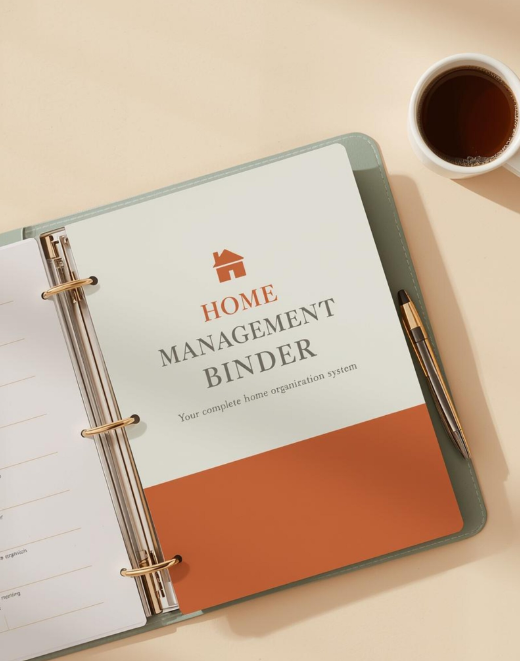
This is the most tangible approach and works well for people who prefer paper. Get a three-ring binder and a set of dividers, one per appliance or category. Behind each divider, keep a single sheet with the appliance details, a copy of the warranty documentation, and a running repair log where you add a line each time something happens.
Keep receipts and warranty cards in sheet protectors behind the relevant divider. Label the spine of the binder with a permanent marker and keep it somewhere accessible, not in a box in the garage. We keep ours in the kitchen drawer with the other house documents. If you already have a home management binder set up, this can be a dedicated section inside it. We have a full guide on setting up a home management binder here if you want a broader organizational system for your house.
The binder approach has one significant advantage: when you go to sell your home, you can hand the buyer a physical document with the complete history of every system in the house. It is a genuinely impressive thing to be able to do.
Option 2: A Spreadsheet
A spreadsheet is faster to search and easier to update than a binder. You can sort by warranty expiry date to see what is coming up, filter by contractor to pull up past work, and keep everything in one file that is accessible from your phone.
A good home appliance spreadsheet has three main sections. The first is the appliance inventory, with one row per appliance and columns for all the key details. The second is a warranty log that flags what is expiring and when. The third is the repair history, with one row per service call.
The Home and Appliance Log in our Budget and Finance Planner does exactly this. It includes the appliance inventory with a warranty status column that automatically flags items expiring within 90 days, a full repair history log with contractor details and costs, and a home project tracker for renovations and improvements. If you want a standalone version, we also offer the Home Repair and Appliance Tracker as a separate download.
Option 3: A Dedicated App
If you want the system on your phone with automatic reminders, there are apps built specifically for home management. The most capable one we have seen is Centriq, which lets you scan a product label or enter a model number and automatically pulls up the user manual, parts information, safety recalls, and maintenance reminders for that specific appliance. It has a free tier and paid plans starting around $32 a year.
The app approach works well if you tend to handle things from your phone and want push notifications for upcoming maintenance. The tradeoff is that your data lives in a third-party platform rather than a file you own and control.
Whichever approach you choose, the most important thing is picking one and actually setting it up. A perfect system you never build does nothing for you.
How to Set It Up: The First Session
Block out about an hour for the initial setup. You are going to walk through your house systematically and gather the information for every major appliance and system. Here is the order that works well:
- Start in the kitchen. Refrigerator, dishwasher, oven, microwave. Pull out or look up the model and serial numbers and photograph each sticker.
- Move to the laundry area. Washing machine and dryer.
- Check the garage or utility room. HVAC unit, water heater, sump pump, water softener.
- Walk through the rest of the house. Garage door opener, security system, generator if you have one.
- Gather your paperwork. Pull out any warranty cards, receipts, or owner manuals you have. Match them to the appliances you just logged.
- Add any repair history you can remember. Even rough dates and approximate costs are better than nothing as a starting point.
If you are moving into a home that had previous owners, do your best with what you have. Previous repair records may not exist, but model numbers are almost always still on the appliances. You can look up the manufacture date for most appliances using the serial number on the manufacturer’s website, which helps you estimate how old each unit is and how much life might be left in it.
From us: When we bought our first home, the previous owners left almost nothing behind in terms of documentation. We spent the first weekend just walking through the house photographing every label on every appliance and system. It felt tedious at the time. Six months later when the furnace needed a service call, we had everything the technician asked for before he even got there. It was worth every minute of that Saturday.
Staying Current: The Ongoing Habit
The setup session is the hard part. Keeping it current is simple if you build one habit: any time something happens to your house, log it the same day.
That means any time a repair is done, add a row. Any time you buy a new appliance, add a row and take a photo of the warranty documentation before it ends up in a drawer somewhere. Any time you do a seasonal maintenance task like flushing the water heater or servicing the HVAC, add a note.
Once a year, usually at the start of the year or around the time you do your home insurance renewal, do a quick audit. Look for warranties expiring in the next 12 months. Decide whether you want to extend coverage or plan for a potential replacement. Update appliance values if any have been replaced.
That annual review takes about 20 minutes and is genuinely one of the highest-value things you can do as a homeowner.
What to Do With Contractor Information
The contractor section of your repair log is one of the most underused parts of the system. Over time it becomes a personal database of who does good work on your house.
When you find a plumber, electrician, HVAC technician, or handyman you trust, log their contact information alongside every job they do for you. When something breaks three years later, you are not starting from scratch trying to find someone. You pull up the log, see who serviced that system last time, check whether the work held up, and call them directly.
This is especially valuable for HVAC and plumbing, where continuity matters. A technician who has worked on your system before knows its quirks, knows what parts are aging, and can diagnose problems faster than someone seeing it for the first time.
Also log any contractors you would not use again and why. It sounds harsh but it is practical. Three years from now you will not remember whether that roofing company was good or terrible unless you wrote it down.
The Bottom Line
Tracking your appliances, warranties, and repairs is not a complicated system. It is a list, kept somewhere you can find it, updated whenever something happens. The version that works is the version that fits how you actually operate, whether that is a binder in a kitchen drawer, a spreadsheet on your laptop, or an app on your phone.
The cost of not doing it is real. It is the warranty you did not know you had. It is the repair that cost twice as much because you could not tell the technician what had already been done. It is the question at the closing table in ten years that you cannot answer.
Start with one appliance. Photograph the label, write down the warranty date, and put it somewhere. That is the whole system in its simplest form. Build from there.
If you want a ready-made version, the Home and Appliance Log is available as a standalone Excel download in our Etsy shop. It includes the appliance inventory, the 90-day warranty alert column, the repair history log, and the home project tracker. It is also included as a full tab inside the Home Budget and Finance Planner if you want the complete financial system along with it. Both are available at fromoffertoowner.com.
And if you are still getting your systems set up in a new home, our first 30 days checklist covers the full sequence of what to do and when in the weeks right after closing, including when to do your first appliance check.